Routines and notifications for the work you repeat.
Schedule recurring checks and reports against connected operational data. Define the scope, access and review steps for each routine so your team knows what will run and what needs attention.
Tell it what to watch for. In your own words.
Write what you care about the way you would say it to a dispatcher — tell me about overdue invoices, unassigned routes, and any unit that has not been serviced in a week. FieldTracer watches your live operation and surfaces it the moment it is true, without you building a dashboard or running a report.
Illustrative notification examples; sample data.
From the big number to the exact record
It leads with the rollup, 3 invoices overdue, $4,287, then drills to the one that matters: ACME #INV-9412, 47 days late, with a link that opens it. The headline and the fix, together.
Critical rises, noise stays quiet
Alerts carry a priority so the team can distinguish urgent work from routine status. Configure the conditions and review whether the notifications are useful for your operation.
Straight to the thing
Each card carries a deep link to the record, route, or message it is about. See it, open it, deal with it — live on your dashboard, kept across restarts.
Schedule work your team can review.
Routines are repeatable jobs that run on whatever schedule you choose — every morning, every Friday, every hour. Each one is an instruction in your own words that FieldTracer carries out on its own: pull the numbers, build the document, send the email, raise the flag.
Illustrative routine examples; sample data.
Whatever schedule you run on
By the minute, hourly, daily, weekly, or one specific date. If you can say when, it can run then — and it keeps running after restarts.
Describe it, do not script it
Describe the result and schedule in your own words. The routine also needs the relevant data connection, permissions and a tested workflow. Review a sample run before enabling recurring delivery.
Reports out, problems up
A routine can hand you a finished report and raise a Dynamic Notification when it finds something off — report delivery and status checks in one job. Every run is logged so you can see exactly what it did.
The numbers come to you.
Notifications watch. Routines run. Diamond Reports puts the whole operation on one live board (real-time KPIs, driver productivity, trends) and delivers a Daily Brief and Weekly Operations Summary on its own. Click any number and the agent explains it from your live data.
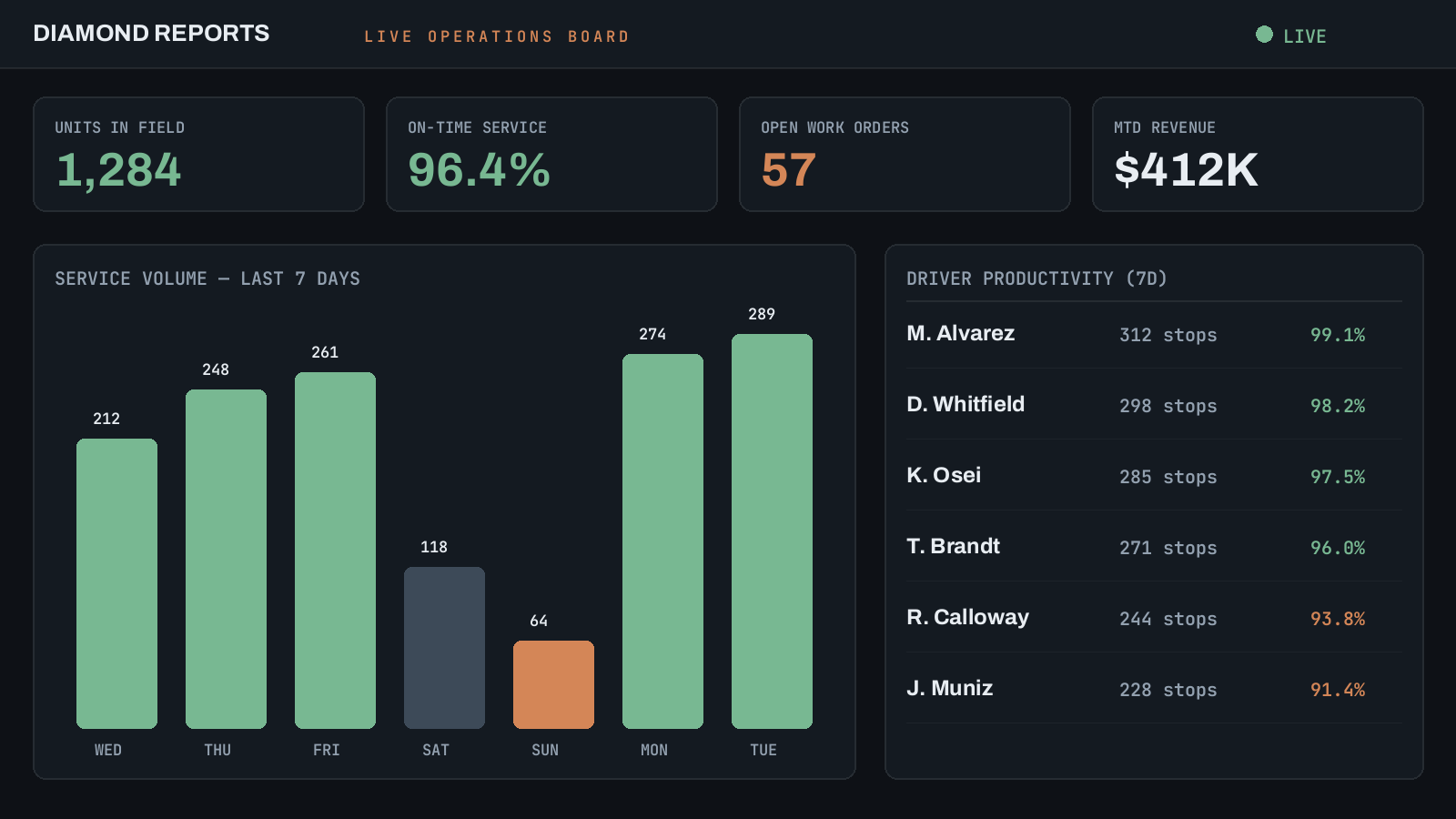
Illustrative dashboard; sample data.
Set up the workflows your team will use.
Map the connected systems, source records, permissions and review steps before rollout. Configure routine tasks, test representative examples and show staff how to check results and handle exceptions.
For PRO Enterprise, implementation, migration and training are scoped in your proposal. Discuss your implementation.
Routines find it. Notifications tell you.
The two features are one loop. You set the watch and the schedule once; FieldTracer closes the gap between something happening and you knowing about it.
A Routine runs on schedule
Hourly, nightly, weekly — the job fires on its own and reads your live operation.
It matches what you asked to watch
Against the rules you wrote in your own words — overdue, unassigned, unserviced, failed.
A notification lands, link included
Priority-ranked on your dashboard, pointed straight at the record that needs you.
See FieldTracer run your operation for you.
Watch a Routine fire and a notification land — on your real data.